Turn Off Sort Codes
Turn a sort code on or off to control whether the cows are sorted in a given milking session. The example below turns off the AI code at the end of the mating period.
To turn a draft off for a code:
-
In the Folder List, click Stations, then click Define Process.
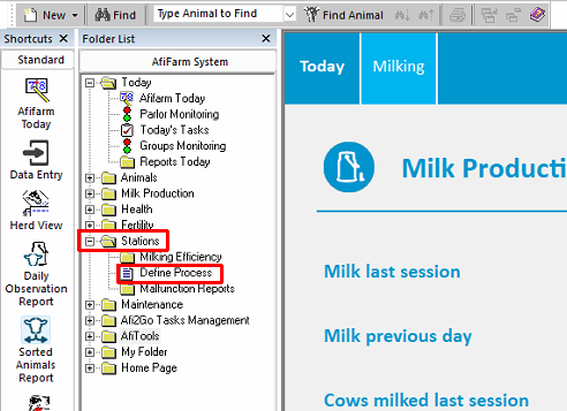
-
Click the correct sort session. Session 1, the morning milking, is used in this example.
.png)
-
The sort options for the session are listed below the session window. Highlight the box with the AI code, then right-click.
.png)
-
Select Set Code.
.png)
-
Clear the AI code check box, then click OK.
.png)
-
Click Save at the top left, then click OK.
.png)
-
Confirm the change: Return to the AfiFarm dashboard, navigate again to the Sort session, confirm the AI code no longer appears.
