Work Offline
Offline mode keeps the app available in areas of the farm that have a weak internet connection or no connection at all. Tasks are accessed and animals are processed as usual, and the app saves every update and syncs it back to AfiFarm on reconnection.
Offline mode is valid for a maximum of one day. After 24 hours the downloaded data is no longer valid and no actions can be taken.
Warning: Activate Offline mode while connected to the internet. Offline mode cannot be activated once the connection is lost.
Activate Offline mode
To activate Offline mode:
-
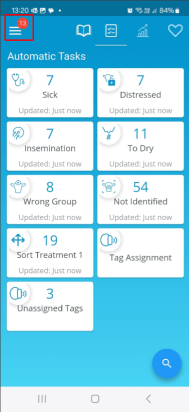
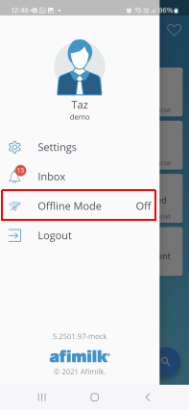
Tap the menu and select Offline Mode.
-
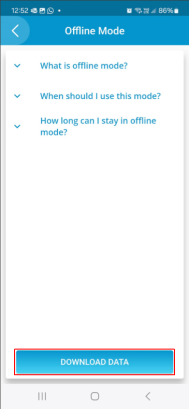
Tap Download Data to work with the latest farm data.
-
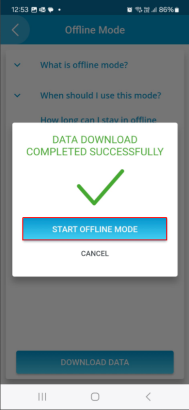
When the data is ready, start Offline mode.
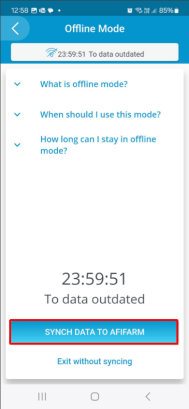
Tasks are now accessed and animals processed as they are online. Keep track of the time remaining before the data must be synced back to AfiFarm.
Note: Data that requires an internet connection is not available offline. This includes dashboards, sort lists, and notifications.
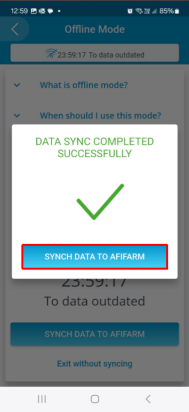
Note: Once you have finished working in Offline mode, you must sync your data to AfiFarm in order to return to online mode.
Exit Offline mode and sync the data
To exit Offline mode:
-
Reconnect to the internet and confirm that the farm server is also connected.
-
Return to the menu.
-
Tap the exit with sync option.
Any conflicts between the new data and the existing data are resolved according to the defined rules, and a notification is sent to the troubleshoot inbox.
Warning: After 24 hours offline, the data is no longer valid and actions cannot be taken. If this happens, sync the data before carrying out any new procedures.